Can You Use an iPhone as a Teleprompter?
A Simple Setup That Actually Works Yes, you can use an iPhone as a teleprompter, and for a


Most creators do not need a production suite the size of a spaceship.
They need to get the words right, record with less friction and make content without turning every video into a small logistical crisis. That is the practical gap Vibe Cue is built to fill. It is a focused iOS teleprompter for people who need to speak clearly on camera, manage scripts properly and create with the kit they already have.
Not everyone has a studio. Not everyone has a camera operator, a lighting assistant, a producer and someone in the corner whispering, “Try that again, but more sincere.” Most creators are working in bedrooms, offices, classrooms, meeting rooms, kitchens, hotel rooms, parked cars and whatever patch of quiet they can borrow for twenty minutes. The tool needs to understand that reality.
Vibe Cue is designed around that kind of creator. Lean enough to stay simple. Feature-rich enough to be genuinely useful. Affordable enough that it does not feel like another monthly tax on trying to make something.
A teleprompter should make recording easier, not heavier
Teleprompters are not new. The idea is simple: put the words where the eyes need them, then let the speaker focus on delivery. The problem is that many apps either feel too basic to support a real workflow or too cluttered to use quickly.
There is a strange middle ground that creators often get stuck in. One app lets you scroll text but gives you very little control. Another gives you plenty of options but buries them in an interface that feels like it was designed during a committee thunderstorm. The result is the same either way: recording takes longer than it should.
Vibe Cue is built to keep the process direct. Write or import a script. Set up how you want the text to appear. Use the teleprompter in a way that suits your pace. Record and move on.
That sounds simple because it should be. Good creator tools do not need to perform a ceremonial dance before letting you do the thing you opened them for.
The word “creator” gets thrown around until it starts to lose its shape, but it covers a lot of real use cases. A business owner recording product explainers. A coach filming training clips. A teacher preparing lesson content. A podcaster capturing video intros. A marketer recording short-form social posts. A founder filming updates. A freelancer trying to sound less like they are reading from a napkin balanced beside the phone.
All of those people need the same core thing: better control over what they say and how they say it.
Vibe Cue is not just for polished influencer content or studio-grade production. It is for anyone who needs the confidence of a script without making the final video feel stiff. The app supports that by keeping the teleprompter experience clean, adjustable and close to the actual recording workflow.
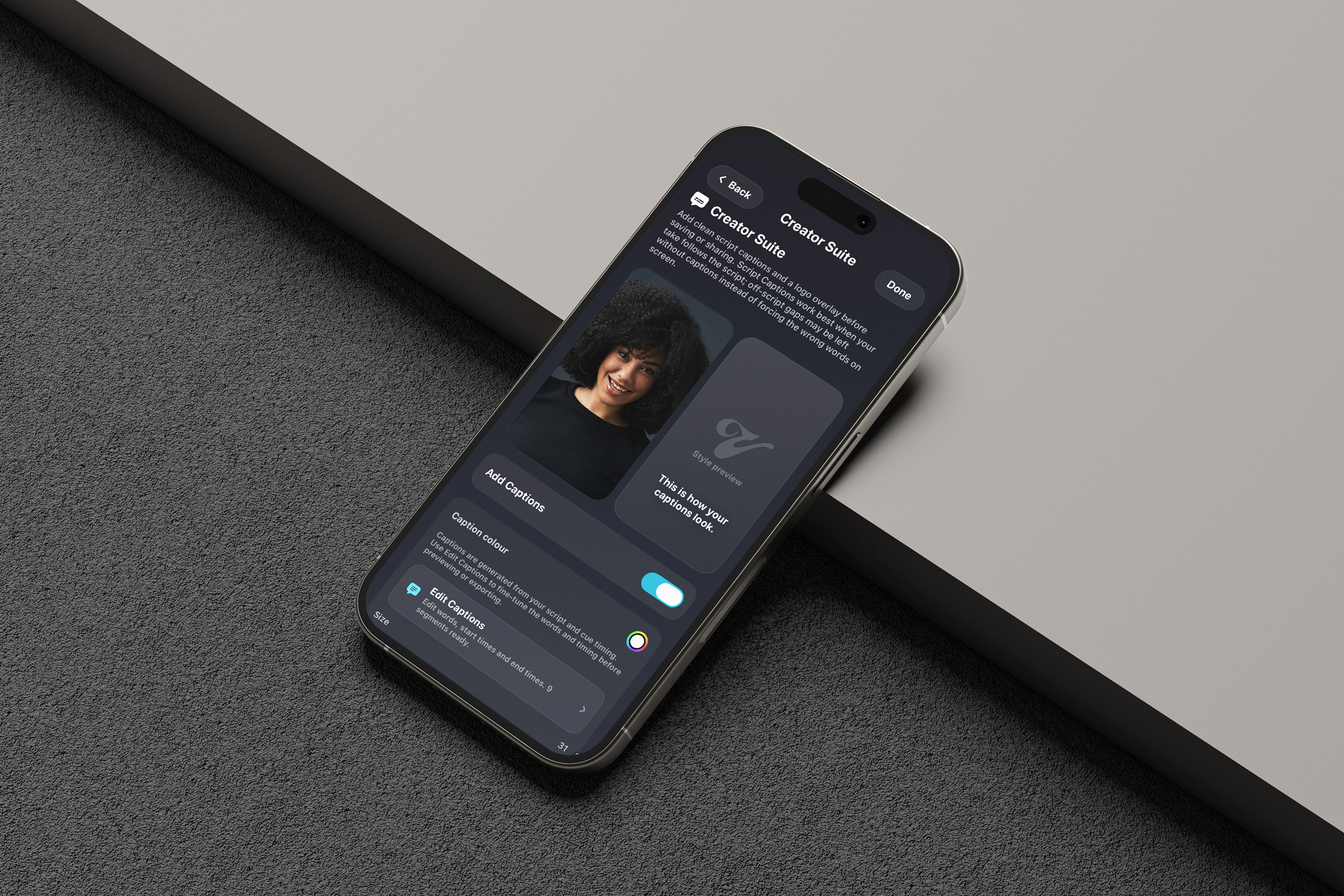
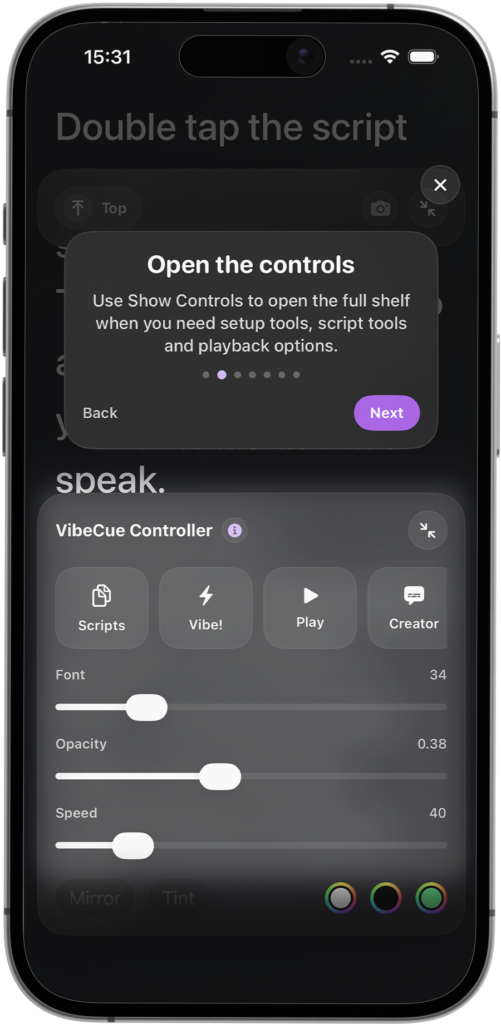
Font size, colour, overlay options and playback settings matter because people read differently. Some need big text. Some want stronger contrast. Some want a more subtle overlay. Some are recording in awkward lighting or against a busy background. A teleprompter should adapt to the speaker, not force everyone into the same tiny marching line of text.
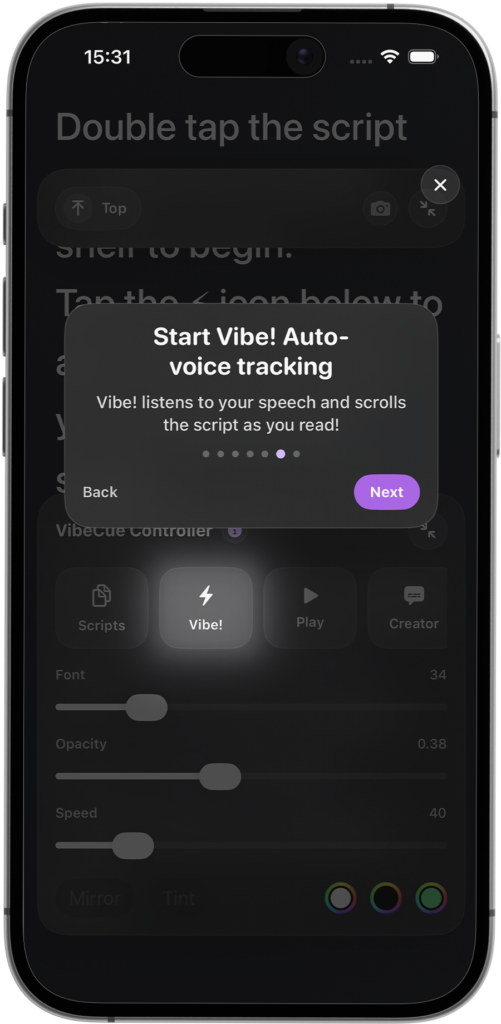
One of the stronger ideas in Vibe Cue is the Vibe! voice-following feature. Instead of relying only on a fixed scrolling speed, the app can follow the speaker’s voice and help keep the script aligned with delivery.
That matters because real speaking is not mechanical. People pause. They emphasise. They stumble, recover, speed up, slow down and occasionally decide halfway through a sentence that their original wording was made of porridge. A rigid scrolling teleprompter can make the speaker feel like they are chasing the script. Voice-following helps the script feel more like it is supporting the performance.
The goal is not to make people sound automated. It is the opposite. The goal is to give creators more freedom to speak naturally while still staying close to the structure they prepared.
That is important for trust. Viewers can usually feel when someone is trapped inside a script. The better result is when the script provides shape, but the person still sounds like a person.
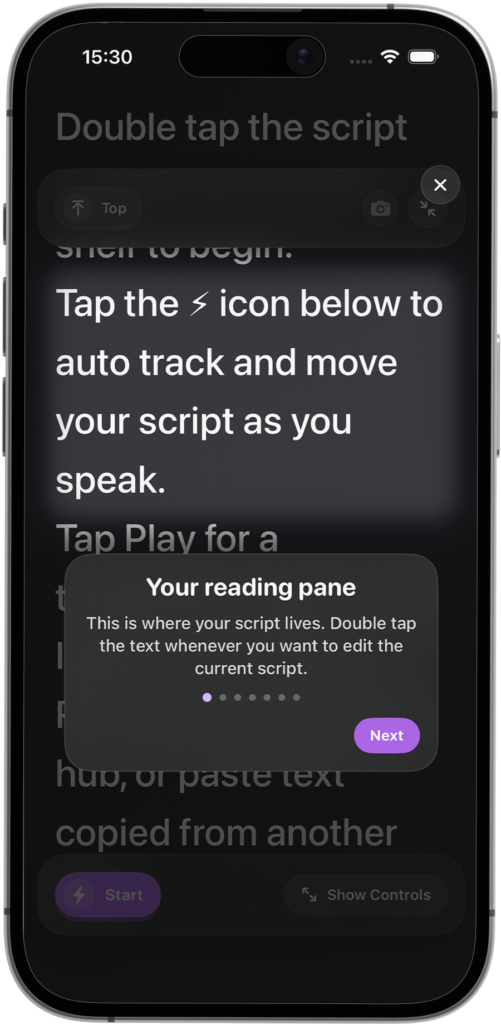
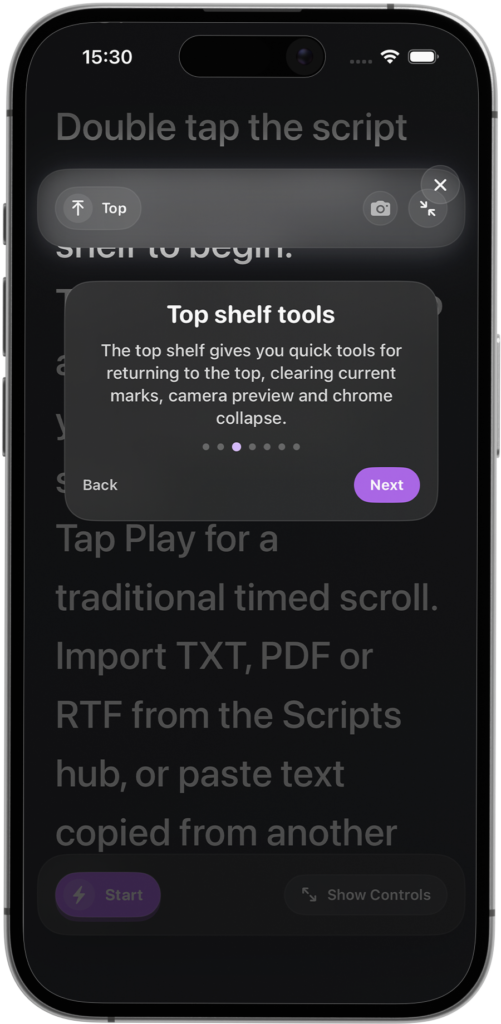
App screenshots
The Guerrilla Creator Studio side of Vibe Cue is one of the most useful ways to position the app because it speaks to how people actually create now.
Content often happens in imperfect conditions. Time is short. The network is flaky. The room is not ideal. The camera setup is basic. The microphone is whatever was in the bag. The idea might be strong, but the production environment is not exactly a glossy documentary set.
That does not mean the content should stop.
Guerrilla creator tools are about getting useful results when conditions are rough. They are not pretending to replace a full studio. They are there for the practical moments: the quick recording, the urgent update, the training clip, the social video, the creator session squeezed between everything else.
Vibe Cue fits that world because it keeps the essentials close. Script control, prompting, recording support, customisation and creator-focused tools all sit around the same purpose: helping someone make the thing without needing a complicated production stack.
That is where affordability matters too. Creative tools should not assume every user is operating with agency budgets or enterprise patience. A solo creator, small business or independent educator needs software that respects both their time and their wallet.
There is another part of Vibe Cue that should not be treated as a footnote: privacy.
Scripts can contain unreleased ideas, client messaging, business updates, course content, internal notes or personal material. For many creators, the script is not just text. It is the work before the work becomes public.
Vibe Cue is designed with a local-first mindset. Your content stays on your device unless you choose to share or export it. That makes sense for a teleprompter. The app should help you create, not quietly turn your drafts into cargo.
In a world where every tool seems desperate to sync, scrape, process, optimise and generally rummage through the cupboards, local control is refreshingly boring. The useful kind of boring. The kind that lets people get on with their work.
Lean does not mean limited
A thin app feels like it has missing pieces. A lean app feels like the unnecessary pieces have been removed. Vibe Cue is aiming for the second version. It gives creators the controls they need without weighing the interface down with features that look impressive in a list but become clutter in use.
That is the real product philosophy here. Script management should be fast. Prompting should be clear. Recording should feel close at hand. Settings should support the creator rather than pulling them into a maze. The app should feel ready when the creator is ready.
Because the actual goal is not to use a teleprompter.
The goal is to make better videos with less friction. To say the right thing without losing your place. To record when the moment is available. To produce content that feels more confident, more structured and less stitched together from panic and good intentions.
Vibe Cue is built for that everyday creative reality: practical, affordable, private and ready for creators who need to move quickly without making their workflow feel cheap.
Not every creator needs a studio.
Sometimes they just need the right cue.