Is MCP a Risk for Your WordPress Site?
Is Ignoring AI Discoverability the Bigger Risk? AI discoverability can sound more alarming than it really is. Talk


You’ve installed an SEO plugin, configured your structured data, filled in the relevant fields and perhaps even added a little custom Schema of your own. Everything looks sensible inside WordPress, but when you check Google, something is missing. Your product information isn’t appearing as expected, a rich result has disappeared or Search Console is reporting something that doesn’t quite match what you thought you had published. It’s a familiar frustration, particularly on WordPress sites where several plugins and templates can contribute to the same page.
The first thing worth understanding is that there is a difference between having Schema configured, having valid Schema published and Google deciding to use it in search results. Those three things are related, but they are not interchangeable. A perfectly valid piece of structured data does not guarantee a rich result, and a green light in a validation tool doesn’t necessarily mean every useful piece of information about your page is being communicated correctly. Sometimes the problem is Google’s interpretation or eligibility requirements. Sometimes the Schema never made it onto the public page in the first place.
WordPress is wonderfully flexible, which is both its greatest strength and occasionally the reason things get complicated. A typical site might have an SEO plugin generating organisation and article Schema, WooCommerce producing product information, Elementor controlling how the content appears and Secure Custom Fields or ACF holding important details behind the scenes. Add a few custom snippets and suddenly several independent systems are helping describe the same website. None of them necessarily knows what the others are doing.
That can lead to some odd situations. Two plugins may publish separate descriptions of the same organisation, a product might have several competing identities, or useful custom-field information may never reach the Schema at all. It’s also possible for a snippet to be configured correctly in WordPress but fail to execute on the intended page, or for conditional templates to generate different output from what you expected. A setting being enabled in the admin area is not proof that its intended result exists on the frontend.
This distinction becomes especially important with Elementor and more complex WordPress installations. The visible page may be assembled from templates, dynamic fields, custom post types and plugins, while the structured data comes from somewhere else entirely. Google doesn’t care how elegantly those pieces are arranged behind the scenes. It can only process the information it receives when accessing the published page.
A good starting point is Google’s Rich Results Test. Enter the public URL rather than pasting a fragment of Schema from your WordPress settings. That way you’re testing the page as Google can access it, including the structured data being delivered with the result. The tool identifies supported rich-result types, highlights critical errors and reports non-critical warnings that may be worth addressing. It’s useful, but it’s important to remember that it tests Google’s supported rich-result features rather than every possible Schema.org type.
For a broader view, the Schema Markup Validator can help inspect structured data that doesn’t correspond to a particular Google search enhancement. It’s worth checking both, because perfectly legitimate Schema may not produce a special result in Google’s testing tool. The absence of a rich-result preview doesn’t automatically mean the information is useless or invalid.
Next, open Google Search Console and inspect the URL. Here you can establish whether Google has indexed the page, when it last crawled it, whether indexing is permitted and which canonical URL Google has selected. The crawled page information also helps distinguish what Google last retrieved from changes you may have made more recently. If you’ve updated the Schema today but Google last crawled the page last week, the discrepancy may simply be that Google hasn’t returned yet. Even after a successful recrawl, rich-result eligibility doesn’t guarantee that Google will display the enhancement for every search.
It’s worth checking the enhancement reports too. Product snippets, merchant listings, breadcrumbs and other supported features can have their own reporting, with errors and warnings that aren’t always obvious from looking at the website. A non-critical warning is not necessarily a disaster, while a valid item is not a promise of greater rankings. What matters is understanding what has actually been detected, whether the information is accurate and whether it represents the content visitors can see.
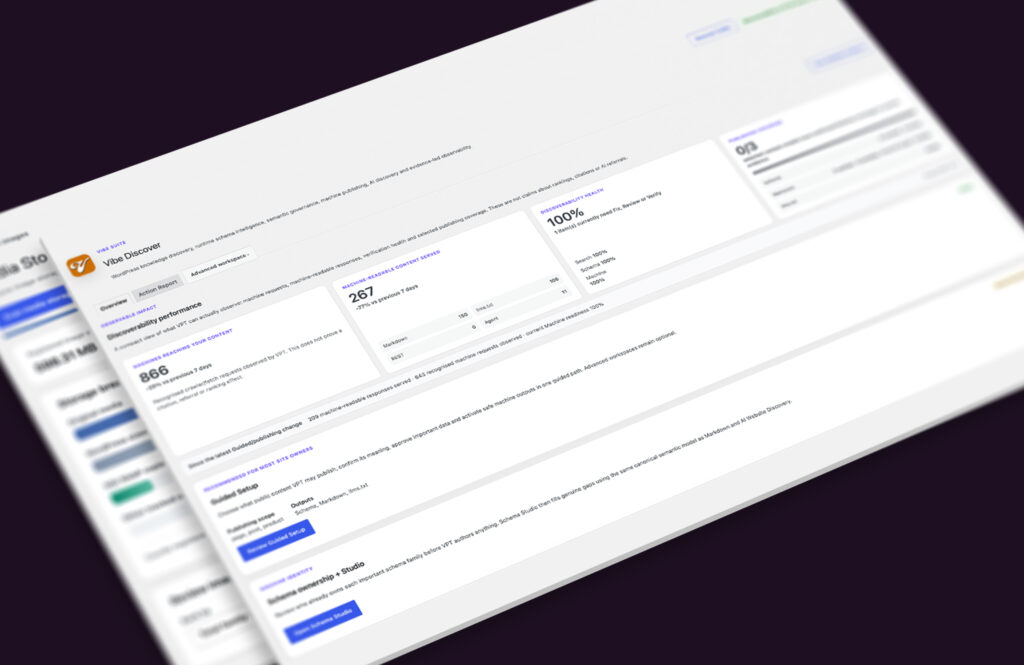
This is one of the reasons we developed the Discoverability module in Vibe Press Tools. Conventional SEO plugins already do a great deal of useful work, and replacing them simply to investigate structured data would be a rather strange solution. Vibe Discover is designed to work alongside existing SEO systems, helping expose the relationships between the information stored in WordPress, the Schema being generated and what is actually reaching the public website.
Its Site Knowledge Map can inspect supported WordPress structures, custom fields and content sources, helping identify where useful information lives. Schema Intelligence then helps examine the structured-data picture, including overlapping producers, missing coverage and entity relationships that may need attention. Crucially, Runtime Truth approaches the problem from the other end: rather than trusting that a configured Schema source must be working, it checks the public output. That’s a useful difference when the admin settings look immaculate but the frontend tells another story.
Vibe Discover also provides a more deliberate route for connecting custom information to machine-readable publishing. Semantic Intelligence allows approved field meanings and relationships to be used across supported Schema, Markdown and other discovery outputs, so the same product or organisation doesn’t need to acquire a slightly different identity every time another system describes it. Where additional Schema is needed, the aim is to complement suitable existing output rather than blindly generate another copy of everything. Sometimes the best Schema improvement is deciding not to publish something twice.
There is a tendency to treat Schema optimisation as an exercise in clearing error messages, but a website can pass validation while still describing itself rather poorly. A product might be technically valid but missing useful information already stored in WordPress. An organisation might be represented by several unrelated entities rather than one consistent identity. An article may have accurate metadata but refer to the wrong author or canonical page. Validation tells you whether the structure meets certain rules; it doesn’t necessarily tell you whether the wider description of your website makes sense.
That matters beyond conventional search, too. As AI systems and other machine consumers become part of how public information is discovered, maintaining consistent identities and meaningful relationships becomes increasingly useful. Vibe Discover extends that work through approved machine-readable content, including Markdown, llms.txt and an optional public, read-only MCP discovery layer for compatible agents. These aren’t shortcuts to better Google rankings, and they shouldn’t be treated as replacements for good content or established SEO practices. They are additional ways of making the same public knowledge easier to understand without leaving every consumer to interpret it independently.
If your WordPress Schema isn’t appearing in Google, start with the simple checks. Confirm the page is accessible, inspect its live structured data, compare that with what Google last crawled and look for genuine errors before adding more markup. If several plugins, custom fields and templates contribute to the result, investigate how those pieces fit together rather than assuming another Schema generator will solve the problem.
Ultimately, good structured data isn’t about producing the largest possible collection of JSON-LD or earning an impressive number of green ticks. It’s about describing the website accurately, consistently and in a form machines can understand. Google may still decide how and when to display that information, but at least you can be confident that what you’ve published is the information you intended to share.