Can You Use an iPhone as a Teleprompter?
A Simple Setup That Actually Works Yes, you can use an iPhone as a teleprompter, and for a


Every creator knows the tiny fog that appears after a recording session. You have recorded a few versions. One was too flat. One had the right energy but the ending collapsed. One had a better intro. One was probably the winner, unless that other one was better, but now they are all sitting in Photos with names only a machine could love.
It does not take long for useful work to become anonymous. That is what the new Takes engine is designed to improve in an upcoming Vibe Cue update. Instead of treating recordings as loose videos that vanish into the camera roll, Vibe Cue will keep saved takes connected to the scripts they came from.
That sounds like a tidy little organisational feature. It is more than that. It changes how a creator can return to their work.
A recording on its own tells you very little.
It might show the delivery, the lighting, the framing and whether your face was doing anything alarming, but it does not always tell you why it exists. Which script was it for? Was it the clean version? The backup? The polished Creator export? Was it saved before captions or after them? Did it belong to the current draft or an older version? When there are only one or two recordings, you can probably remember. When content creation becomes regular, memory starts doing the job of a filing system, and memory is famously dramatic under pressure.
The Takes engine gives Vibe Cue a better way to hold that context. When you save a recording from the Recording Preview, Vibe Cue can register that take against the matching script. The script becomes the anchor. The recording is no longer just a clip somewhere in Photos. It is part of the history of that piece of work. That is the important shift.
A script is not just something you read from. It is the thing the recording session was built around.
Vibe Cue already treats scripts as central to the recording workflow. The Takes engine pushes that further by making the script library feel more alive. If a script has saved takes, the library can show that. A small take count on the script card means there is recorded history attached to that piece of writing. Open it, and you can see the saved recordings for that script, with thumbnails, save dates, duration information and take type.
That is a much better model than rummaging through Photos and trying to recognise a clip from a frozen thumbnail of your own forehead.
It also suits the way creators actually work. A single script might produce multiple attempts. A draft might be revisited after a few days. A campaign message might need several versions for different platforms. A course intro might be recorded again after the tone changes. With Takes, those recordings can stay tied to the script rather than floating away as separate files with no memory of where they came from.
Not all takes are the same. A fresh recording from the preview stage is not the same as a polished Creator Suite export. A clean backup is not the same as a captioned version with a logo burned in. Those distinctions matter when you come back later. The Takes engine recognises that by tracking take kinds such as Original, Creator and Backup.
An Original take is the recording as captured and saved from Recording Preview. It is the clean session result, useful if you want to keep the raw delivery or send it through Creator Suite later.
A Creator take is a polished export. It has already been through Creator Suite, so it is treated differently. It can still be saved or shared, but it is not designed to be sent back through Creator Suite again. That helps avoid the weird double-polish problem, where captions or overlays get baked over the top of earlier captions and the whole thing starts to look like a video wearing two coats. A Backup take is the safety copy. When Creator Suite saves an original backup before exporting the polished version, that backup can be tracked too. This is the sensible little parachute. It means the clean source can stay available if captions, overlays or final choices need another pass.
Those labels are not there to decorate the interface. They help the creator understand what they are looking at.
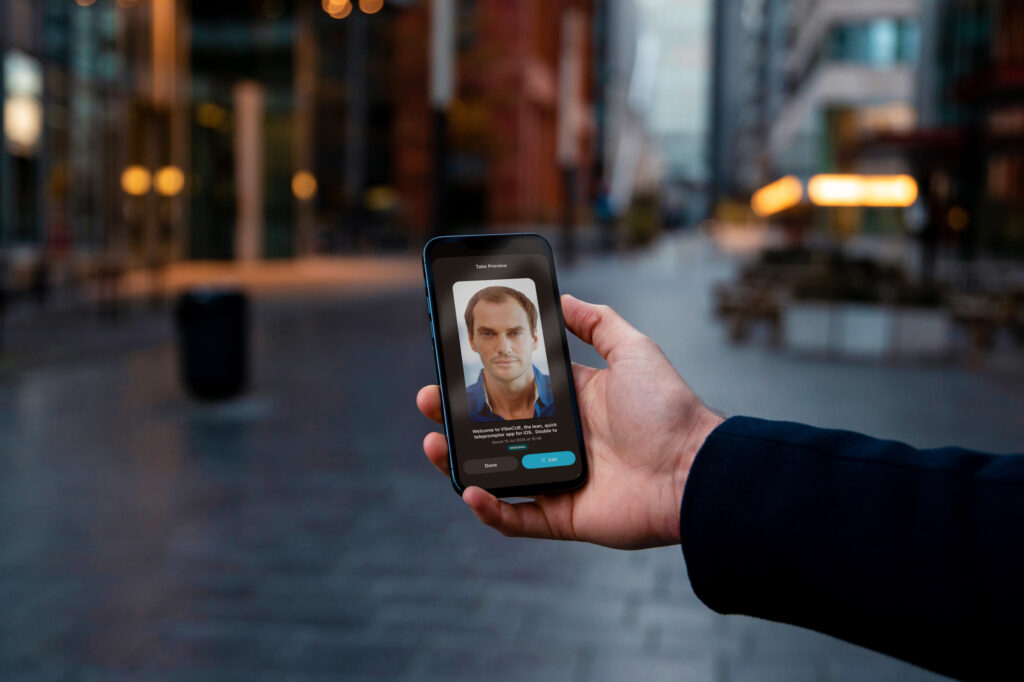
The coming Takes flow also allows saved takes to be opened and previewed from the script they belong to.
That is useful in a very ordinary, very real way. You might want to compare versions before deciding which one to post. You might want to check whether the earlier delivery was better than the newer one. You might want to reopen a saved original and send it through the review flow again. The ability to return to a take from the script library means the work remains navigable. You are not starting from a cold camera roll. You are starting from the script, then looking at the recordings attached to that script.
That order feels right because it mirrors the creative process. The words came first. The takes came from the words. The library should respect that relationship.
The Takes engine uses local Photos references so Vibe Cue can surface previously saved recordings for the matching script. That distinction is worth saying plainly. The app is not turning your recordings into some unclear online library. The saved video lives in Photos, and Vibe Cue keeps a reference so it can show that recording in the right place later.
For creators, that is a healthy balance. You keep the normal iOS Photos behaviour and sharing options, while Vibe Cue adds the missing workflow memory. The app knows enough to connect the dots without trying to own the entire media library. There is a nice restraint in that. Good tools do not need to swallow the whole workflow to improve it. Sometimes they just need to remember the part that usually gets lost.
The polished version of content creation looks clean from the outside. A script is written. A video is recorded. A final clip is posted. Lovely. Very tidy. Almost suspiciously tidy.
The real version is messier. A creator records three takes, saves one, sends another, changes the caption, keeps a backup, comes back tomorrow, decides the first one had more warmth, then needs to find it again without losing another half hour to the camera roll labyrinth. That messy middle is where Takes helps.
It does not pretend every session is linear. It accepts that creators try things, change their minds, preserve versions and occasionally need to rescue the good take from the pile. By tying saved recordings to scripts, it gives that process a bit more structure without making it feel formal or heavy.
That is the sweet spot. Enough organisation to be useful. Not so much that creating starts to feel like admin in a costume.
Vibe Cue is not just trying to be a screen that scrolls text.
The wider idea is to support the creator session from preparation through recording, review, polish and output. Scripts help shape the message. Vibe! helps keep the read flowing. Recording Preview lets you check the result. Creator Suite helps make a session more share-ready. Takes closes the loop by helping those saved recordings stay connected to the script that made them. That connection is the key.
Without it, a creator is left with separate piles: scripts in one place, recordings in another, polished exports somewhere else, backups hiding in plain sight. With it, the work starts to behave more like a project, even though the app stays lean. That is valuable for anyone who records regularly. Solo creators, educators, marketers, coaches, small businesses, founders, presenters. The more often you record, the more useful it becomes to know what you already made, where it came from and whether it is worth using again.
The Takes engine is not a loud feature. It is not fireworks. It is the shelf label, the breadcrumb trail, the little memory hook that stops good recordings from disappearing into the sludge. And for creators, that is exactly the sort of quiet tool that saves time later. Because the best take is only useful if you can find it again.